
Totals 1.6: your data, on your own server
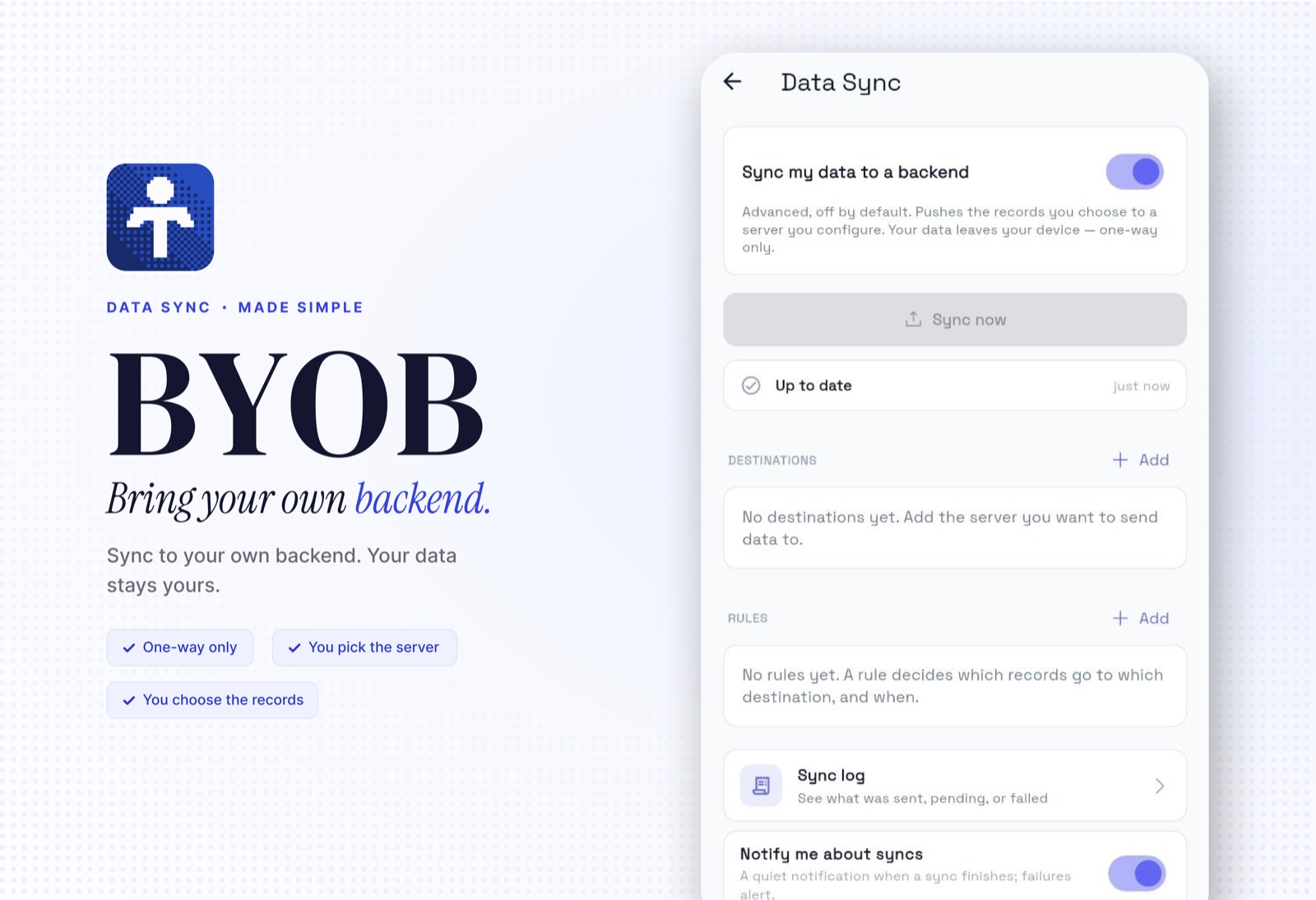
Totals has one rule: your financial data lives on your phone, not on our servers. Totals 1.6 keeps the rule and adds a twist: now your data can also live anywhere you choose. Plus weekly budgets, loan reminders, and a stack of fixes.
Data Sync: bring your own backend
The headline: Totals can now push your transactions, accounts, and budgets to a server you control. Your VPS, your homelab, your own API. If it speaks HTTPS and JSON, Totals can feed it.
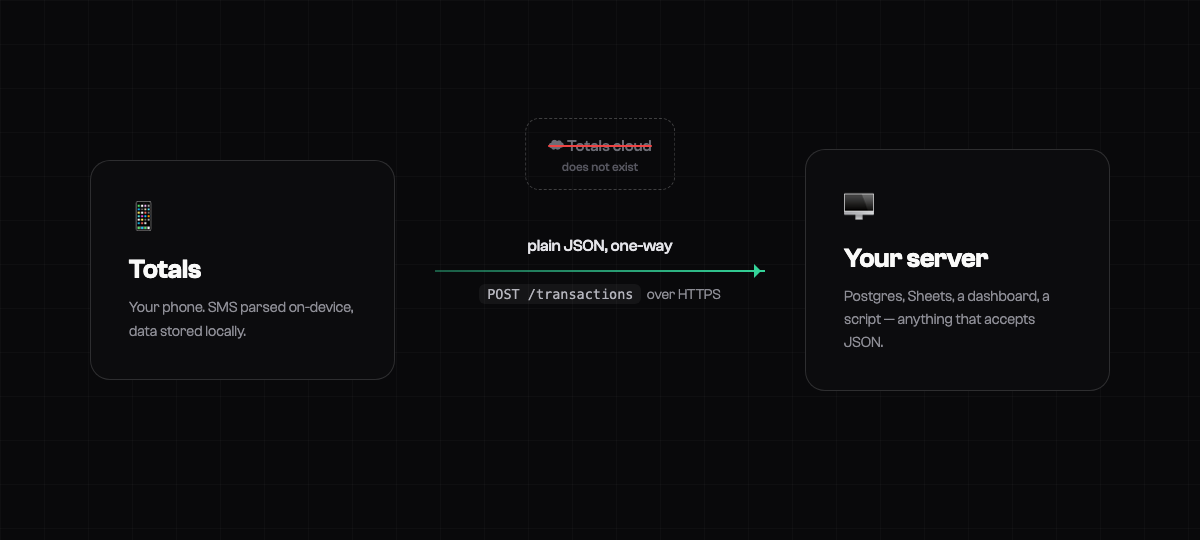
A few things to be clear about, because this is us:
- One-way. Totals pushes; it never reads anything back.
- No middleman. Your phone talks straight to your server. There is no Totals cloud relaying your data (we couldn't peek if we wanted to).
- Off by default. You turn it on behind an explicit consent screen (Settings → Advanced → Data Sync). Secrets live in your phone's keystore. HTTPS only.
What you get to play with:
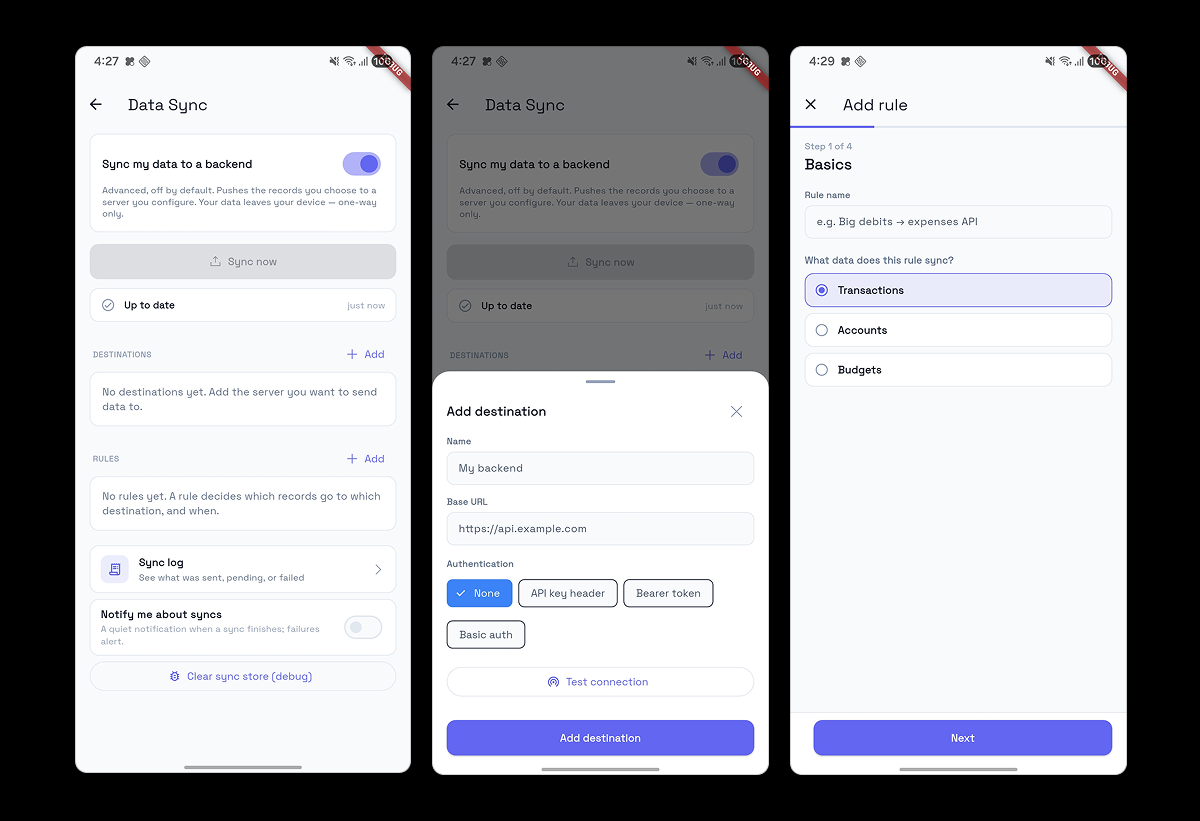
- Destinations & rules. Point at a server, then decide exactly what goes where: transactions, accounts, or budgets, filtered by bank, account, amount, or type.
- Fits your API, not the other way around. Pick POST, PUT, or PATCH, use paths like /transactions/{reference}, rename fields to match your schema, send records one at a time or in bulk arrays.
- Real-time or scheduled. Push the moment a new transaction lands, when you're back online, on an interval, or at fixed times daily. Old data? One tap backfills everything that matches.
- Durable. A proper outbox with automatic retries and backoff, plus a filterable sync log in the app that shows exactly what your server said.
Build a personal dashboard. Chart your spending in Grafana. Keep a live backup in Postgres. Feed your own scripts. It's your data. Do something weird with it.
Docs your AI can build from
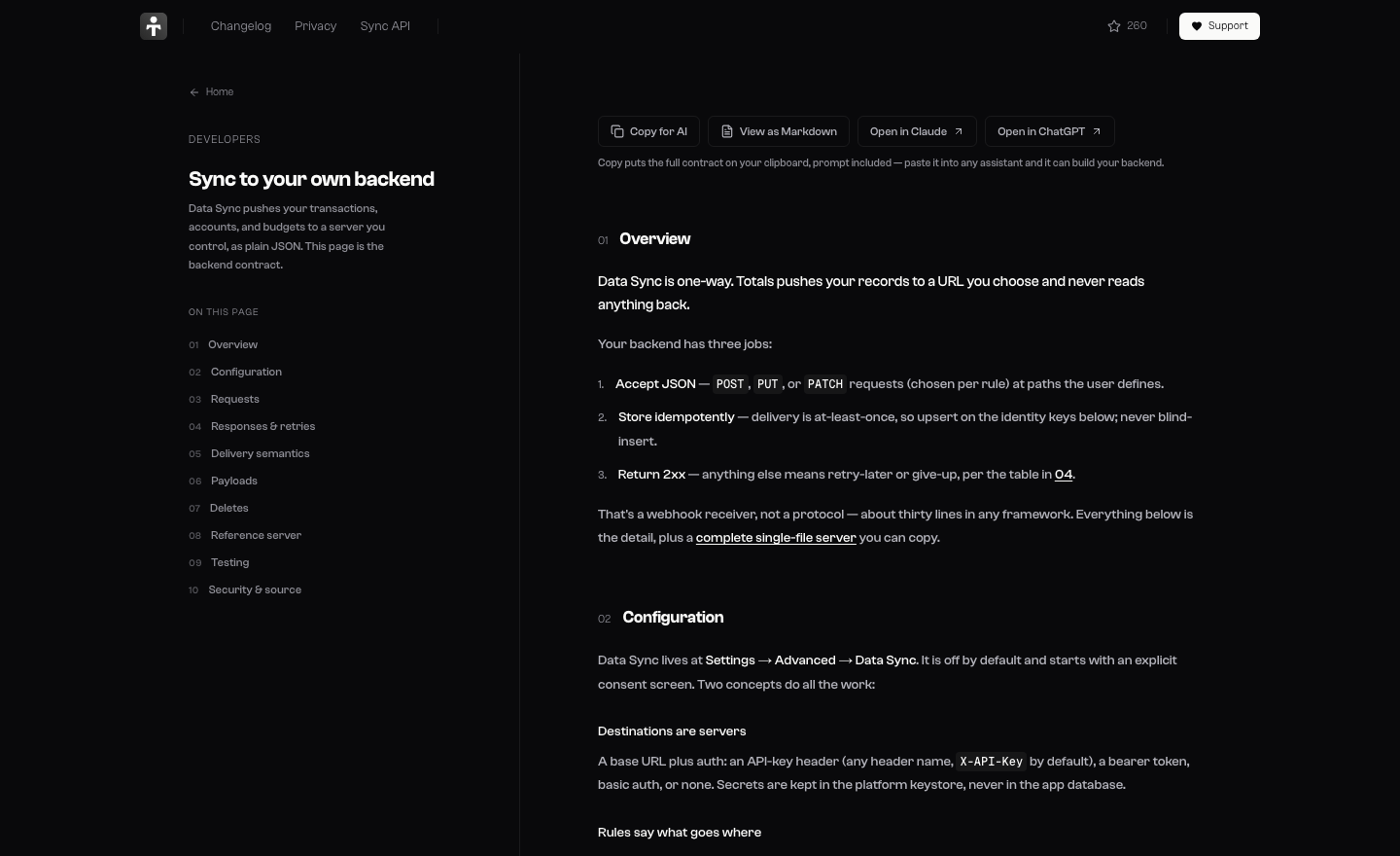
For the technical folks (or anyone with a technical AI): the full backend contract lives at /sync: payload schemas, retry semantics, delete handling, and a zero-dependency reference server you can copy, run, and point a rule at.
We made the docs AI-native too. Hit Copy for AI on that page and your clipboard holds the entire contract plus a ready-made prompt. Paste it into ChatGPT or Claude and ask for a receiver in your stack. There's also /sync.md and an llms.txt for the robots. If you can paste, you can have a backend.
Due dates for loans & debts
Lent money and forgot to follow up? Set a due date on a loan or debt and Totals will remind you when it arrives. Repayments got smoother too, overpayments included. Awkwardness, outsourced.
Also fixed/new
- Weekly budget labels, both the Budget page and the home-screen widget show how much money you have left for the week.
- Bank pages reworked, and tapping an account card jumps straight to that bank's transactions.
- Pick your tools: choose which quick-access tools appear in the fab menu (Settings → Advanced).
- Faster, smarter reparse: adding an account and reparsing are quicker, duplicate detection is tighter (especially for Dashen Bank), duplicates get cleaned up during reparse, and a details page shows exactly what changed.
- Shared-expense debts now prioritize 1-to-1 debts.
- Banks, accounts, and people now sort alphabetically; budget numbers are formatted properly.
- Fixed an issue where Hibret Bank SMSs weren't being parsed.
- Bottom sheets behave better.
- Adding an account syncs SMS more reliably.
Get it: update on the Play Store. On iPhone, the setup guide is at /ios-guide.
Totals is open source. The whole app, sync engine included: github.com/detached-space/totals
Questions, bugs, love letters: t.me/totals_chat