
Totals 1.7.5: Spending Map and Category Split
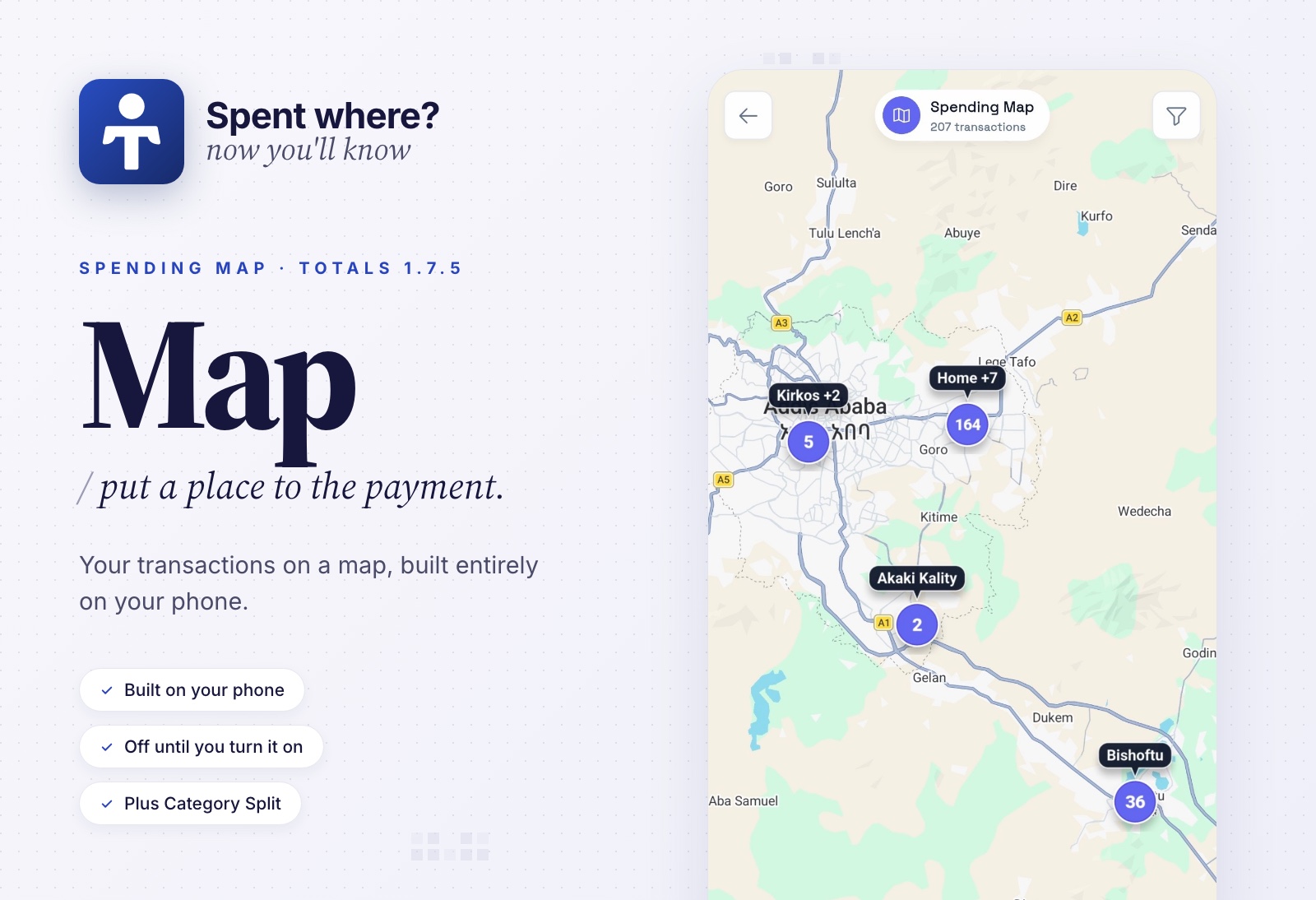
A transaction tells you how much you paid. Sometimes the useful part is remembering where you were.
Totals 1.7.5 adds Spending Map, so your history can have places as well as amounts. It also lets you divide one payment across categories, decide whether cash belongs in your total balance, and keep Misc transactions out of your reports. More ways to make the numbers reflect your life.
Privacy stays central to that extra context: Spending Map sends no financial or location data to any of our servers. Your transaction map is built on your phone, and location capture stays off until you choose to enable it.
Spending Map: put a place to the payment
Enable Spending Map in Settings → Advanced → Spending Map, grant location access, and Totals can save your phone's location when a new debit or credit is recorded. That includes bank SMS transactions and manually added cash entries. Enabling it also adds Spending Map to your home tools menu.
Open the map and explore your transactions in road or satellite view. Nearby pins group together, then separate as you zoom in. Tap a group to see its transactions, or narrow things down by date, bank, account, category, amount, or transaction type. Markers can show transaction counts or net amounts: money in minus money out.
Pins reflect your phone's location when Totals records a transaction, so a delayed bank message can appear where you received it. Background capture needs Android's Allow all the time location permission; with foreground permission, capture works while you're using the app.
The map currently focuses on Ethiopia.
Less data sent to Google
We removed the Google Places API from Spending Map to minimize the data sent to Google. Approximate Addis Ababa subcity and supported Ethiopian city names are matched directly on your phone using bundled data from Overture Maps and Addis Ababa Cadaster. Your coordinates aren't sent to Google Places to look up those names, and the app doesn't contact either data provider for those lookups.
Totals does not send your amounts, balances, account details, payment references, categories, notes, SMS contents, or custom place names to Google to draw the map.
Your transaction records, coordinates, custom names, and saved places are stored locally. None of that data is uploaded to our servers to make Spending Map work. Location capture is off by default; you can stop new captures at any time and delete saved map data while keeping your financial transactions.
You also control when saved location data leaves the app: manual exports and encrypted full backups include it. If you enable Data Sync, you can include human-readable location names in the transactions sent to your own server. Telegram backups go directly from your phone to your connected bot, encrypted before upload.
Places you can name and reuse
An area name gets you close. “Office” or “my usual café” gets you somewhere you recognize.
Give a transaction's location a custom name, or press and hold the map to create a saved place. From transaction details, you can assign a saved place or reuse a location from an earlier transaction. Older entries without a captured location can get one this way too.
Rename or move a saved place and its linked transaction locations update with it. Location filters also work in Money activity, bank transaction lists, today's transactions, and map transaction lists. Pick one place or several to bring those transactions together.
Category Split
You spend ETB 1,500 at the supermarket: ETB 1,100 on groceries and ETB 400 on household supplies. It is one payment, but two different parts of your budget.
Now you can select multiple regular income or expense categories and tap Split in the category picker or transaction details. Enter the amounts yourself, or use Split evenly. The last category takes the remaining amount, so the pieces add up to the original transaction.
Your category budgets, filters, and insights use each category's allocated portion. The original payment stays as one transaction in your history.
Selecting several categories also leaves the split editor closed until you tap Split, so you decide when to set the amounts.
Cash Wallet can join your total balance
In 1.7, Cash Wallet was left out of the combined account balance. In 1.7.5, you choose.
Open the Cash Wallet account menu and turn on Show in total balance to include the cash you track alongside your bank and wallet balances. It stays excluded by default, and you can change the setting whenever you like.
Misc Category stays out of your reports
Some transactions need a record without becoming part of your spending analysis.
Transactions explicitly assigned to Misc are now excluded from income, expenses, fees, budgets, and reporting summaries, including insights, recaps, widgets, and summary notifications. They are also left off the Spending Map. Their history and effect on account balances are preserved.
Misc applies to the whole transaction, even if it has other categories or an amount split. A transaction with no category assigned still counts normally.
Your places come with your backups
Manual exports and full Telegram backups now preserve transaction coordinates, custom names, saved places, and their assignments. Full Telegram backups remain encrypted on your phone before upload.
Telegram Backup upgrade step: If you accepted the previous backup disclosure, open Settings → Advanced → Telegram Backup, review the updated disclosure, and enable backups again. Totals turns them off until you do, because full backups can now contain saved location data.
We also tightened up backup index lookup. Totals can recognize its saved index when Telegram's filename metadata is missing or different. If Telegram rejects a recovery attempt or the connection fails, the actual error is shown instead of turning every failure into a “pinned index is missing” message.
Get Totals on Google Play or the App Store.
Totals is open source: github.com/detached-space/totals.
Questions or feedback? Join us at t.me/totals_chat.